Quantifying QoE: How to Measure & Improve the Subscriber Experience

Quantifying QoE blog title

Quantifying QoE

We may have mentioned once or twice the importance of providing your subscribers with a great quality of experience (QoE) 😉 Delivering superior QoE is a great way to retain your customers, get positive reviews and word-of-mouth referrals, while also reducing support calls and churn. This in turn can help your operation grow, even in an increasingly competitive market.

Optimizing for great QoE is something we’ve been beating the drum about for some time because, well, it’s literally what Preseem is designed to help you accomplish. Our goal is to help local and regional operators compete against big national providers by delivering a superior experience to their subscribers.

If you’ve been following us for a while, then you’ll be well aware of our message that the better QoE you provide, the happier your customers will be.

But, you might be wondering, how exactly do you go about quantifying that? In other words, how can you actually tell if you’re providing good QoE, or if it’s improving over time? What does “good QoE” really mean? And how do you stack up against your fellow ISPs?

Well, you’re in luck because that’s what this blog is here to explain!

Young student working from home on laptop

How to Measure Quality of Experience

For local and regional operators, QoE is all about understanding and improving the service delivered to customers. First, however, you have to be able to measure QoE in a way that’s truly reflective of the customer experience.

Traditional network monitoring systems can tell you the overall health of individual network elements—and that’s absolutely necessary—but they don’t really tell you very much about subscriber QoE.

At Preseem, we measure QoE by collecting metrics directly from subscriber traffic and network elements like access points. We then tie those metrics into the network topology, so that our customers can use those insights to proactively improve network performance and the subscriber experience.

For example, our QoE metrics can tell you which of your APs have issues or are over capacity, so that you know which ones you need to target for an immediate fix.

So how does it work? We measure TCP Round Trip Time, which is the time it takes a packet to travel from the Preseem appliance, through the backhaul and access points, down to the subscriber’s devices, and back again. Preseem continues measuring these trips constantly, to the tune of billions per day across our client base.

Flow chart showing how Preseem fits into an ISP's network

From these measurements, metrics are extracted and charts produced that quantify latency, retransmits, throughput, packet rates, etc. These can help identify contention/bottlenecks, overloaded backhauls or APs, poorly-performing equipment, even in-home Wi-Fi issues.

Because we measure traffic directly from the customer, it creates a complete picture of the experience being delivered—from our inline element all the way to a device being used in the customer’s home. This provides deeper insights than you might see in simple QoE or AP monitoring systems, and ultimately allows our customers to allocate their troubleshooting resources more effectively and efficiently.

How to Quantify QoE

So that’s how to measure QoE, but what about the meaning of those measurements? Let’s look at some of the actual metrics this process produces that quantify QoE, and how these numbers can help you improve your network.

AP and CPE Radio Metrics

Preseem collects and stores many AP and CPE Radio metrics that impact QoE. These include RF parameters, RSSI, modulation, frequency, channel width, and more. We then normalize these across all vendors and models, so that your team can see everything in one place and not have to ‘stare and compare’ in multiple systems.

These metrics are retained for two years and help empower your support team to investigate QoE issues without necessarily having to be an expert on each vendor’s tools. The two-year retention lets you compare current to past RF connections, so that you can easily see what’s changed or where any issues may have occurred in the past.

CPE Radio Scores

CPE Radio Scores are designed to help you identify where any RF issues exist in your network and make it easier to prioritize improvements. We take real-world performance information from hundreds of ISPs using Preseem and group them by model and configuration. We then combine this with the behavior of your specific subscribers and CPEs to create a simple 0-10 score.

This score means that—per AP or across your entire network—you can identify which subscribers are doing the most damage to AP capacity and negatively affecting the QoE of other customers. You’ll also see which subscribers have the worst RF conditions. In either scenario, you can prioritize addressing those to improve QoE for everyone on the network.

Access Point Scores

Much like CPE scores, the AP score combines performance data from hundreds of providers with the actual behavior of your specific APs to produce a simple score. This 0-10 score can tell you which APs have the worst RF, so that you can proactively fix it before customers start to notice. It also identifies your most overloaded APs so that you can address RF conditions for the worst subscribers to improve airtime, or decide whether you need to split or upgrade.

Flow chart showing how Preseem fits into an ISP's network

AP Subscriber Capacity

This score combines AP airtime and RF conditions with the behavior of your subscribers at peak busy hour to come up with a capacity number, with subscriber count as the unit. This shows you in a very simple way where you’re overloaded or where you have room to add new customers in a given area.

Track What’s Trending

As well as being able to see quantifiable QoE metrics that help you make key network decisions, it’s also helpful to be able to see which way things are trending. Preseem includes easy-to-understand trend indicators that show which direction your Access Point and CPE Radio scores are heading. This way, your team has the tools to quickly identify which scores are trending downward so they can address the issue proactively.

Apply QoE Analysis to Help Your ISP Grow

One of the nice things about having all this reliable QoE data on hand is that you can start to use it to better understand you customers and improve your business. Here’s a few ways in which QoE analysis can help you grow.

Improve Your Marketing

By knowing which access points still have room to add more subscribers, your marketing team can proactively target specific neighborhoods or regions covered by those APs. This is a more efficient use of your marketing dollars, and removes guesswork and ‘gut-instinct’ decision-making. Also, providing great QoE can help get you the best and most cost-effective kind of marketing—word-of-mouth referrals from satisfied customers.

Optimize Your Business Planning and ROI

By using quantifiable QoE metrics to identify which APs or towers are having issues, your techs can prioritize where to spend their time most efficiently and you can identify which areas of your network need investment.

Also, by using QoE metrics to improve the subscriber experience and fix issues before they affect your customers, you’re freeing up time and revenue for your staff to focus on proactive network improvements, as opposed to spending their time constantly putting out fires or going out on costly truck rolls.

Get to the Root Cause of Issues Faster

It’s not really practical for local and regional operators to try and find RF or QoE issues by manually looking at each AP and CPE Radio. As a result, most operators are reactive to QoE problems and only check the radios when a customer complains. Not to mention there just aren’t that many RF experts around to help interpret highly technical and specialized issues.

Your L1/L2 support and resident experts can get to the root cause of issues quickly with quantified QoE metrics. For example, by being able to see when RF quality changed, you’ll have a better chance of figuring out why it changed (e.g. maybe there was high winds that day).

They can also be used to help you grow—for example, by knowing which specific customer’s RF conditions you need to improve to free up the most airtime, you’ll not only be able to help that customer but sell more plans on the AP as a result!

If you’d like more information on how your ISP can start quantifying your QoE and providing your subscribers with a better experience, get in touch with us and we’ll be happy to show you how we can help.
Where Do the Minutes Go on a Tier 1 ISP Support Call?

A subscriber calls because the internet has been dropping out every evening, and your agent starts the call already behind. They open the account in billing, then the subscriber's radio or ONT in the vendor's portal, then the ticket history, and run a test against the CPE while narrating the wait to someone who was already annoyed when they dialled. That's often how a technical call runs in Tier 1 ISP support: much of it goes to searching, and the conversation fits in around it.

A seasoned agent knows which systems to open and in what order, but still has to open them, because the subscriber's experience, the state of the shared asset and the history of the account are stored in different places. As Wi-Fi or the Network? set out, each check answers part of the question and sends the agent somewhere else for the rest, so the difficulty lies in where the evidence lives rather than in the person reading it. When the call runs out before the answer arrives, the subscriber gets a callback, an escalation or a reboot script that may not address the fault.

Why Is One Agent Doing Two Jobs on Every Call?

Every technical call holds two jobs. One is finding the answer: gathering evidence across systems, comparing this subscriber with their neighbours and deciding where the fault is. The other is handling the person: listening and empathizing with what they've been living with, explaining what's wrong in terms they recognize and telling them what happens next. They're different skills, and on today's desk one agent does both at once.

On the evening-dropout call, the investigation takes the agent's attention first, because there's nothing to explain until it's done. The subscriber listens to typing while the agent moves between portals, and if the answer arrives after they've hung up, the explanation never happens, and the ticket moves to Tier 2. Repeated across a day, that's the reactive load that keeps ISP support teams stuck in firefighting mode.

What Does Tier 1 ISP Support Need on Screen to Close the Call?

Four pieces of evidence, read together:

The What Tier 1 Needs

Where It Usually Lives Today

What It Helps Determine

The What Tier 1 Needs

The subscriber's experience over the window they're describing (latency, packet loss, throughput against their plan)

Where It Usually Lives Today

A QoE system, if the operator collects it at all

What It Helps Determine

Whether the problem the subscriber describes actually happened, and when

The What Tier 1 Needs

The asset they sit on, and how other subscribers on that AP, sector or PON did over the same hours

Where It Usually Lives Today

The network management system, or one portal per radio and OLT vendor

What It Helps Determine

Whether others on the same asset were affected at the same time, which points to a shared issue

The What Tier 1 Needs

Has a problem that's in your network

Where It Usually Lives Today

The radio or OLT vendor's tool

What It Helps Determine

Whether the drop to the home is healthy, which narrows the search without placing the fault inside the home

The What Tier 1 Needs

What was tried on this account last time

Where It Usually Lives Today

The ticketing system or CRM

What It Helps Determine

Which steps not to repeat

None of these settles the question alone. Identifying an in-home Wi-Fi problem takes evidence from behind the CPE, and neighbours degrading at the same hours points to a shared issue without naming its cause. With all four in one view, an agent can reason through the diagnosis and explain what the evidence points to as they go, but reading them together mid-call is still the investigation, just done faster.

How Does an AI Support Assistant Get the Answer on Screen?

Preseem's Support Assistant, part of Preseem Plus, does the troubleshooting itself. Once the call is tied to a subscriber, it works through the same evidence an agent would chase across systems: the subscriber's experience over recent days, the other subscribers on their AP, sector or PON, the history of their radio or ONT, and the tickets already on the account. It gives the agent the cause and the next action in plain language, including whether the fault is in the home or on the network, and where, along with the evidence that places it there.

On the evening-dropout call, the agent opens the account and sees the pattern laid out: the subscriber's latency and packet loss climbing from around 7 p.m. on each of the evenings they described, their radio link healthy throughout, the other subscribers on the same sector showing the same pattern over the same hours, and the sector running at capacity while it happens. The assistant reads those together and places the problem on the shared sector as evening congestion, then routes it to the network team with that evidence attached. That reading is what it adds beyond four sources on one screen, since the agent isn't the one left to work out whether a healthy link and degraded neighbours add up to congestion.

The agent doesn't need another round of checks; they square the answer with what the subscriber is describing and act on it. Because the Support Assistant works alongside the agent, a person who knows the subscriber and the network sees its answer before the subscriber does, which is what separates an assistant from a tool placed in front of the subscriber, as covered in what AI actually does in ISP customer support.

What Does the Agent Tell the Subscriber?

With the investigation done, the rest of the call focuses on the subscriber. The agent can tell them that their own connection and equipment are fine, that the slowdown they've been seeing is on the part of the network they share with their neighbours and happens when it's busiest in the evening, and that it has been escalated to the network team with the evidence attached. Then comes what happens next: when they should see a change, that nobody needs to visit, and how they'll hear back.

The agent also has time to listen. If the subscriber mentions that the dropouts happen on weekend mornings too, that doesn't fit an evening congestion pattern, and an agent who isn't juggling portals can hear it, ask about it and check it against what's on screen before the call ends.

How Much Shorter Do Calls Get When Tier 1 Has the Answer?

Among Preseem customers using the Support Assistant, we've seen call times fall from over 30 minutes per call to under five. Read it as an indication of what's possible rather than a benchmark for your desk; your own call mix and network will shape where you land.

What Happens Next Once Tier 1 Has a Diagnosis?

A diagnosis on the call leads to one of three outcomes, and only one resolves the issue before the subscriber hangs up. When the assistant places the fault inside the home, the agent can often fix it with the subscriber on the line by moving the router or switching a device to a wired connection. Where the home network itself is what's holding the subscriber back, such as an ageing router or Wi-Fi coverage that doesn't reach the rooms they use, the agent can also offer a managed router service, so the operator looks after that part of the connection from then on. When it points to a fault on the shared network, as on the evening-dropout call, the ticket goes to the NOC with the fault confirmed. When it points to the subscriber's own link, a technician goes out with the fault already located.

The second and third outcomes still leave work for someone else, but they change what that work is. A call that runs out before the cause is found often escalates as little more than a description of symptoms, and Tier 2 or a network engineer starts the investigation again from scratch. With the diagnosis and its evidence attached, they start from the finding, and that's the metric for a support leader to watch: how many tickets reach Tier 2 needing the investigation started over. The engineers who would otherwise rerun it are often the same people planning upgrades and building out new areas, so each investigation they don't repeat is time back on that work. For how this fits with first-contact resolution, ramp time and the rest of the desk's numbers, see the complete guide to improving ISP support performance.


Take A Tour:

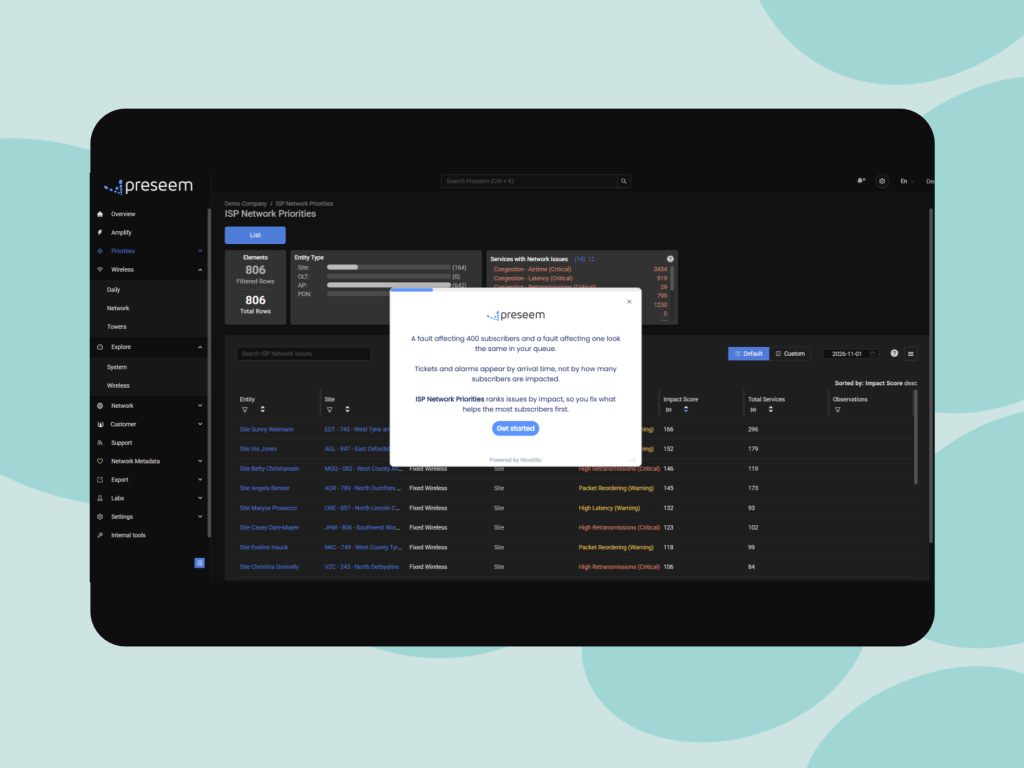
ISP Network Priorities

Explore how Network Priorities ranks network issues by subscriber impact, helping you focus on the fixes that make the biggest difference.

Take A Tour:

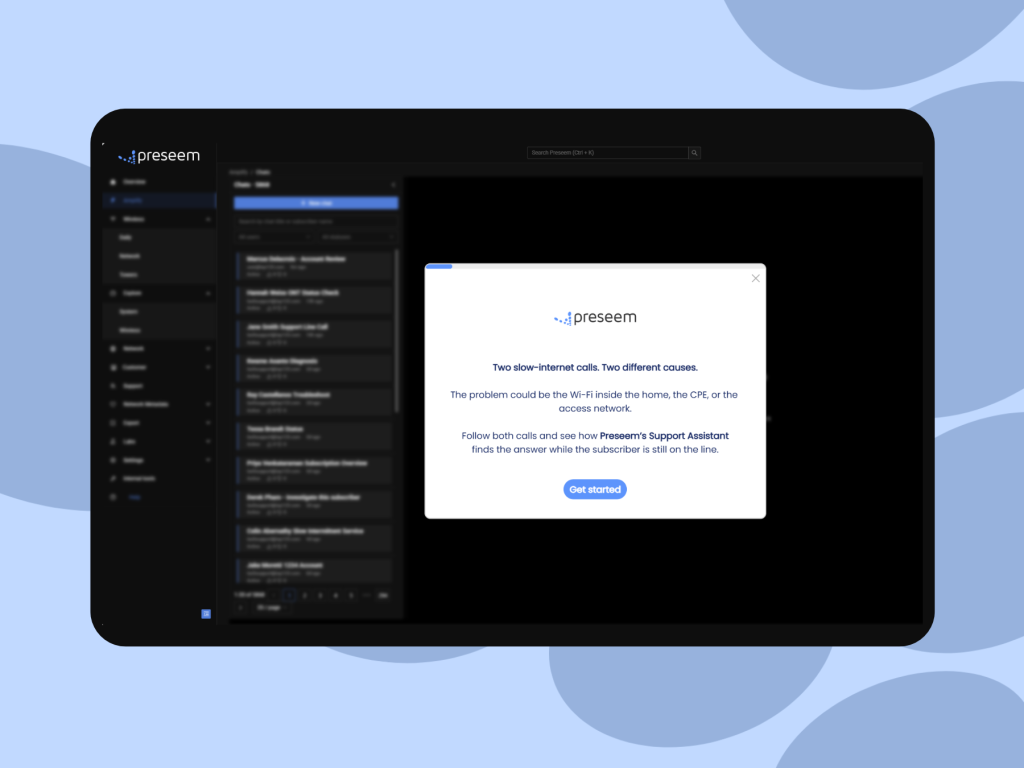
Support Assistant

See the Support Assistant in action! 

Frequently Asked Questions


When should a Tier 1 ISP support call escalate?

A call should escalate when the fix needs something Tier 1 can't do: a configuration change on the network, a field repair, or a fault the NOC has to work. An escalation made because nobody could identify the cause in time is the easiest kind to recover, since the information needed to settle it often already exists in the operator's systems. Sort a month of escalations into those two groups and you'll see how much of your Tier 2 load is diagnosis rather than repair. The ISP support performance guide covers the escalation measures that sit alongside it.

Is an AI support assistant for ISPs just a smarter knowledge base?

No. A knowledge base holds procedures that apply to any subscriber, while an assistant connected to network data works out what's wrong with this subscriber's connection today. The knowledge base still has a place, because it's where the steps for a router reset or a plan change live once the cause is known. What it can't do is locate the fault, which is why an agent working from articles alone ends up troubleshooting by elimination.

What does AI agent assist need from a broadband network?

It needs per-subscriber experience measured continuously, a map tying each subscriber to the AP, sector or PON they sit on, access-link telemetry from the radio and OLT vendors you run, and the account's ticket history. To place a problem inside the home rather than just rule out the access link, it also needs evidence from behind the CPE. The topology map is easy to overlook, and without it a tool can't compare a subscriber with their neighbours, which is how a shared fault is told apart from a single one.

What if the subscriber doesn't accept the help desk diagnosis?

Show them the evidence in terms of their own experience: the drops on the evenings they described, or the fact that their neighbours on the same sector saw the same thing. A help desk diagnosis is much easier to accept when it matches what the subscriber lived through, and an agent with the answer already on screen has time to make that connection instead of reading a conclusion off a script.

About Preseem

Preseem shows regional ISPs what every subscriber is actually experiencing, from the network into the home and across every major equipment vendor. Operators use it to improve subscriber experience and business results together: keeping subscribers happier for longer, running a more efficient operation at lower cost, and earning more from upgrades and services subscribers want. Preseem turns that intelligence into next steps for support, the NOC and sales, aimed at whatever helps the most subscribers. Support Assistant gives the rep on the call the cause and the next action in plain language, including whether the fault is in the home or on the network. Network Priorities ranks the sites, APs and PONs to fix first by how many subscribers each one is degrading, and Service Priorities shows which subscribers to contact and whether to fix something or offer an upgrade. Expert view keeps two years of history behind every subscriber, AP and OLT. Learn more at preseem.com.

[/et_pb_post_content][/et_pb_column][/et_pb_row][/et_pb_section]

Latest From Our Blog

Network insights, best practices, and product updates to help you get the most from Preseem.

STOP MANAGING COMPLEXITY

START RUNNING YOUR BUSINESS

Every week without visibility is another week of trucks that didn't need to roll and subscribers who left without telling you why.

Let's start with your network, your vendors, your subscribers.