Fiber Connect 2025 Conference Preview

Title card for Fiber Connect 2025 preview blog

Fiber Connect 2025

For the second consecutive year, the Fiber Broadband Association (FBA) will hold their annual Fiber Connect conference at the Gaylord Opryland in Nashville, from June 1 to 4.

With over 5,000 attendees, 300 exhibitors, 80 sessions, and 270 speakers, Fiber Connect 2025 promises to be one of the biggest yet.

This year’s theme is Light It Up, celebrating “the transformative power of fiber broadband, opening doors to innovation, economic growth, and better lives for communities worldwide.”

Broadway in Nashville at night

As well as the chance to meet vendors and attend panel sessions with industry experts, Fiber Connect 2025 will also feature expanded educational programs, exclusive networking opportunities, a documentary screening, and OpTIC Path Rodeo—a competition for fiber technicians with a $1,000 cash prize. There’ll even be an appearance by Sean Evans, host of the popular online show, Hot Ones 🔥🍗

There’s a lot to see and do—more than one person could possibly manage. No need to be overwhelmed, however, because our team has studied the Fiber Connect 2025 agenda and come up with a list of recommendations below.

P.S. If you’re heading to the conference, drop by booth 684 to say hello to the Preseem Team during Expo Hall hours. We’ll be happy to show you how our proactive platform helps fiber and hybrid providers improve efficiency, troubleshoot issues faster, and reduce support costs, all from a single pane of glass.

Events and Sessions to Attend at Fiber Connect 2025

Sunday, June 1

Day 1 of Fiber Connect 2025 is a chance to settle in, attend some pre-conference workshops, and do some networking with your fellow industry professionals.

  • Brand Economics: How Brand Impacts Fiber Financials: 1:30 p.m. to 5:25 p.m. – One of five afternoon-long workshops, this one focuses on how building a strong local brand and emphasizing the customer experience over price and speed can help your ISP stand out in an increasingly competitive marketplace. That’s music to our ears—read our recent blogs “Beyond Speed” and “Stop Losing Customers to Starlink” for our thoughts on this topic.
  • Don’t Hate the Players OR the Game: Gamers Are Our Newest Thought Leaders: 3:15 p.m. to 4:15 p.m. – If you’re not able to commit to one of the longer workshops, check out this session on how gamers’ need for low latency, reliability, and security “doesn’t just future-proof your network—it creates a premium experience for everyone.” We’ve got thoughts on this as well 🙂
  • First-Time Attendee and New Member Meet Up: 4:30 p.m. to 5:30 p.m. | Backyard BBQ Welcome Reception: 5:30 p.m. to 7 p.m. – First time at Fiber Connect? New to the FBA? Head to the Delta Pavilion to mingle and network with your fellow rookies. Afterward, hit up the ballroom for some southern BBQ and more networking, hosted by Adtran and Calix.
Nashville skyline at sunset

Monday, June 2

  • General Session: 8 a.m. to 11:55 a.m. – Head to the Delta Ballroom for breakfast starting at 7 a.m. and then go to the Presidential Ballroom for the morning general session. The packed schedule will include a State of the Association address from FBA President and CEO Gary Bolton, two Operator Light Talks, two panel sessions, a “Fiber Song” performance by Golden West, and the Fiber Broadband Hot Seat interview, conducted by Hot Ones host Sean Evans.
  • Lunch and Expo Hall Opening: 11:45 a.m. – Lunch is available in the Expo Hall from 11:45 a.m. to 1 p.m., and vendor booths will be open until 6 p.m. Stop by booth 684 to chat with the Preseem Team! Also, the “Five O’Clock Somewhere Bar” is open from 12-6 in the Ryman C room 🍻
  • Taking Nothing for Granted: State and Federal Funding Best Practices: 1:50 p.m. to 2:30 p.m. – Part of the Fiber Economics track, this session will provide tips and best practices for network operators looking to access state and federal funding programs to help grow their business.
  • Fiber First, Connectivity Always: 2:40 p.m. to 3:20 p.m. – Moderated by Telecompetitor, this expert panel will examine how BEAD grant recipients can ensure that all communities are connected, whether deploying fiber or fixed wireless.
  • Exclusive Look at the FBA Documentary, “ThoughtWaves”: 6 p.m. to 7 p.m. – Get a sneak peek of the FBA’s documentary that “traces the pivotal moments, policies, innovations, and individuals that have shaped—and continue to shape—America’s fiber broadband movement.” A Q&A with cast and crew follows the screening.
Aerial view of Nashville

Tuesday, June 3

  • General Session: 8 a.m. to 11:50 a.m. – Day 2’s general session includes a variety of talks and panel sessions on topics ranging from smart homes and AI to the immediate and near future of fiber broadband growth.
  • Women in Fiber Luncheon: 11:45 a.m. to 1:30 p.m. – Join this session to hear a keynote speech by Nell Withers McCauley, Program Director for the Dollywood Foundation Imagination Library, a charity started by Dolly Parton that donates 3 million books to children every month. Note: This event requires a separate ticket, with a portion of each ticket fee going to the Imagination Library.
  • Fiber Ecosystem: Managing the Customer Experience: 1 p.m. to 1:40 p.m. – This session will look at how to delight subscribers, from their first contact with you as a prospect, to their experience as a paying customer. On a related note, Preseem helps ISPs spot upsell opportunities, reduce churn risk, and deliver great customer experiences 😉
  • Managing the Project, Promoting the Value: 2:40 p.m. to 3:20 p.m. – Join a panel of broadband experts to learn how upgrading the middle mile can ensure that fiber and fixed wireless deployments deliver exceptional service and QoE to newly-connected rural subscribers.

Wednesday, June 4

  • State Broadband Summit: 8 a.m. to 11:35 a.m. – Wrap up your Fiber Connect 2025 experience with this post-breakfast session featuring a keynote speech, a panel discussion on the impact of fiber on communities, a fireside chat with three mayors from across the US on how fiber can provide opportunities for economic growth, and lots more.

Visit the Fiber Connect 2025 Expo Hall

With over 300 vendors on the floor, the Expo Hall will be busy at Fiber Connect 2025. The hall is open during designated times, so plan your days accordingly to optimize your opportunity to connect with vendors like Preseem!

Expo Hall hours:

  • Monday, June 2: 11:45 a.m. to 6 p.m.
  • Tuesday, June 3: 11:45 a.m. to 6 p.m.

As mentioned above, Preseem will be at booth 684, so make sure to stop by and chat with our friendly team of award-winning experts.
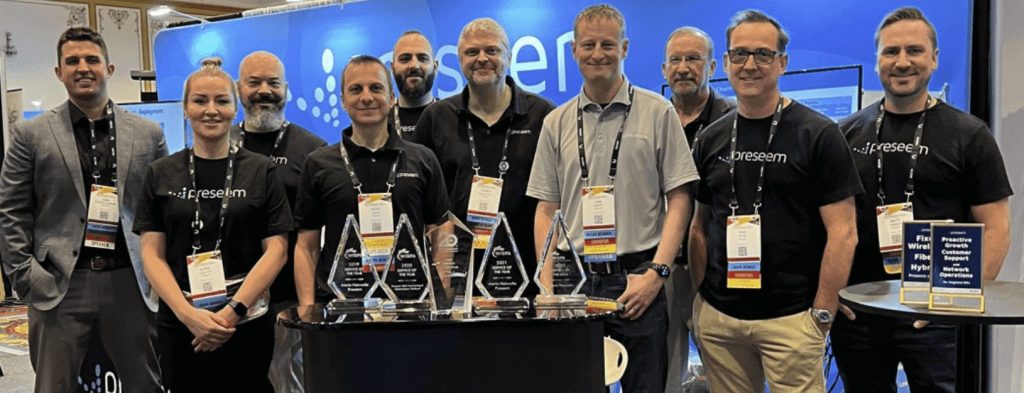
Members of the Preseem team pose with the WISPA Service of the Year award

Bonus tip: Prior to visiting the booth, take a step-by-step tour of Preseem’s fiber features to see how network operations teams can use our system to proactively identify potential issues within the network.

Besides the informative sessions and industry networking, we hope you’ll have time to explore the city during conference off-hours. From the Grand Ole Opry and the Ryman Auditorium to the bars on Broadway and the city’s incredible food scene, there’s no shortage of things to do in the Music City.

See you in Nashville 🎸🎵🤠
Take a Preseem Product Tour

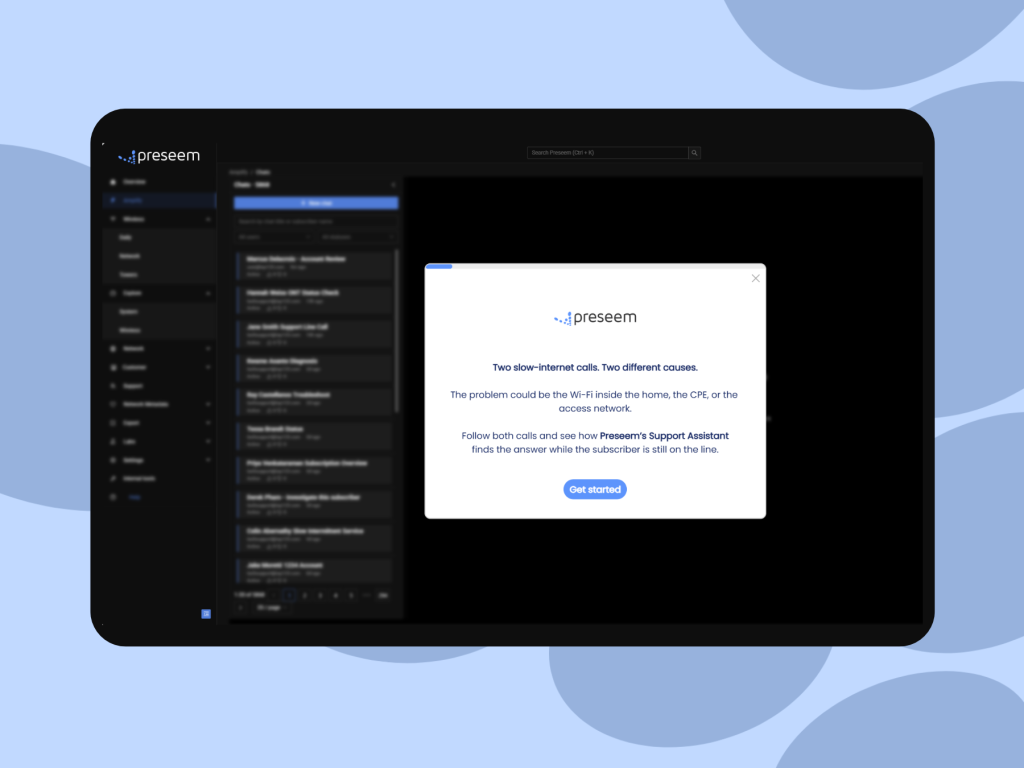
Not going to Fiber Connect 2025? Take a self-guided tour of Preseem for an overview of how our platform promotes proactive growth, network operations, and customer support. You can also tour new Preseem features and customer success stories!

Where Do the Minutes Go on a Tier 1 ISP Support Call?

A subscriber calls because the internet has been dropping out every evening, and your agent starts the call already behind. They open the account in billing, then the subscriber's radio or ONT in the vendor's portal, then the ticket history, and run a test against the CPE while narrating the wait to someone who was already annoyed when they dialled. That's often how a technical call runs in Tier 1 ISP support: much of it goes to searching, and the conversation fits in around it.

A seasoned agent knows which systems to open and in what order, but still has to open them, because the subscriber's experience, the state of the shared asset and the history of the account are stored in different places. As Wi-Fi or the Network? set out, each check answers part of the question and sends the agent somewhere else for the rest, so the difficulty lies in where the evidence lives rather than in the person reading it. When the call runs out before the answer arrives, the subscriber gets a callback, an escalation or a reboot script that may not address the fault.

Why Is One Agent Doing Two Jobs on Every Call?

Every technical call holds two jobs. One is finding the answer: gathering evidence across systems, comparing this subscriber with their neighbours and deciding where the fault is. The other is handling the person: listening and empathizing with what they've been living with, explaining what's wrong in terms they recognize and telling them what happens next. They're different skills, and on today's desk one agent does both at once.

On the evening-dropout call, the investigation takes the agent's attention first, because there's nothing to explain until it's done. The subscriber listens to typing while the agent moves between portals, and if the answer arrives after they've hung up, the explanation never happens, and the ticket moves to Tier 2. Repeated across a day, that's the reactive load that keeps ISP support teams stuck in firefighting mode.

What Does Tier 1 ISP Support Need on Screen to Close the Call?

Four pieces of evidence, read together:

The What Tier 1 Needs

Where It Usually Lives Today

What It Helps Determine

The What Tier 1 Needs

The subscriber's experience over the window they're describing (latency, packet loss, throughput against their plan)

Where It Usually Lives Today

A QoE system, if the operator collects it at all

What It Helps Determine

Whether the problem the subscriber describes actually happened, and when

The What Tier 1 Needs

The asset they sit on, and how other subscribers on that AP, sector or PON did over the same hours

Where It Usually Lives Today

The network management system, or one portal per radio and OLT vendor

What It Helps Determine

Whether others on the same asset were affected at the same time, which points to a shared issue

The What Tier 1 Needs

Has a problem that's in your network

Where It Usually Lives Today

The radio or OLT vendor's tool

What It Helps Determine

Whether the drop to the home is healthy, which narrows the search without placing the fault inside the home

The What Tier 1 Needs

What was tried on this account last time

Where It Usually Lives Today

The ticketing system or CRM

What It Helps Determine

Which steps not to repeat

None of these settles the question alone. Identifying an in-home Wi-Fi problem takes evidence from behind the CPE, and neighbours degrading at the same hours points to a shared issue without naming its cause. With all four in one view, an agent can reason through the diagnosis and explain what the evidence points to as they go, but reading them together mid-call is still the investigation, just done faster.

How Does an AI Support Assistant Get the Answer on Screen?

Preseem's Support Assistant, part of Preseem Plus, does the troubleshooting itself. Once the call is tied to a subscriber, it works through the same evidence an agent would chase across systems: the subscriber's experience over recent days, the other subscribers on their AP, sector or PON, the history of their radio or ONT, and the tickets already on the account. It gives the agent the cause and the next action in plain language, including whether the fault is in the home or on the network, and where, along with the evidence that places it there.

On the evening-dropout call, the agent opens the account and sees the pattern laid out: the subscriber's latency and packet loss climbing from around 7 p.m. on each of the evenings they described, their radio link healthy throughout, the other subscribers on the same sector showing the same pattern over the same hours, and the sector running at capacity while it happens. The assistant reads those together and places the problem on the shared sector as evening congestion, then routes it to the network team with that evidence attached. That reading is what it adds beyond four sources on one screen, since the agent isn't the one left to work out whether a healthy link and degraded neighbours add up to congestion.

The agent doesn't need another round of checks; they square the answer with what the subscriber is describing and act on it. Because the Support Assistant works alongside the agent, a person who knows the subscriber and the network sees its answer before the subscriber does, which is what separates an assistant from a tool placed in front of the subscriber, as covered in what AI actually does in ISP customer support.

What Does the Agent Tell the Subscriber?

With the investigation done, the rest of the call focuses on the subscriber. The agent can tell them that their own connection and equipment are fine, that the slowdown they've been seeing is on the part of the network they share with their neighbours and happens when it's busiest in the evening, and that it has been escalated to the network team with the evidence attached. Then comes what happens next: when they should see a change, that nobody needs to visit, and how they'll hear back.

The agent also has time to listen. If the subscriber mentions that the dropouts happen on weekend mornings too, that doesn't fit an evening congestion pattern, and an agent who isn't juggling portals can hear it, ask about it and check it against what's on screen before the call ends.

How Much Shorter Do Calls Get When Tier 1 Has the Answer?

Among Preseem customers using the Support Assistant, we've seen call times fall from over 30 minutes per call to under five. Read it as an indication of what's possible rather than a benchmark for your desk; your own call mix and network will shape where you land.

What Happens Next Once Tier 1 Has a Diagnosis?

A diagnosis on the call leads to one of three outcomes, and only one resolves the issue before the subscriber hangs up. When the assistant places the fault inside the home, the agent can often fix it with the subscriber on the line by moving the router or switching a device to a wired connection. Where the home network itself is what's holding the subscriber back, such as an ageing router or Wi-Fi coverage that doesn't reach the rooms they use, the agent can also offer a managed router service, so the operator looks after that part of the connection from then on. When it points to a fault on the shared network, as on the evening-dropout call, the ticket goes to the NOC with the fault confirmed. When it points to the subscriber's own link, a technician goes out with the fault already located.

The second and third outcomes still leave work for someone else, but they change what that work is. A call that runs out before the cause is found often escalates as little more than a description of symptoms, and Tier 2 or a network engineer starts the investigation again from scratch. With the diagnosis and its evidence attached, they start from the finding, and that's the metric for a support leader to watch: how many tickets reach Tier 2 needing the investigation started over. The engineers who would otherwise rerun it are often the same people planning upgrades and building out new areas, so each investigation they don't repeat is time back on that work. For how this fits with first-contact resolution, ramp time and the rest of the desk's numbers, see the complete guide to improving ISP support performance.


Take A Tour:

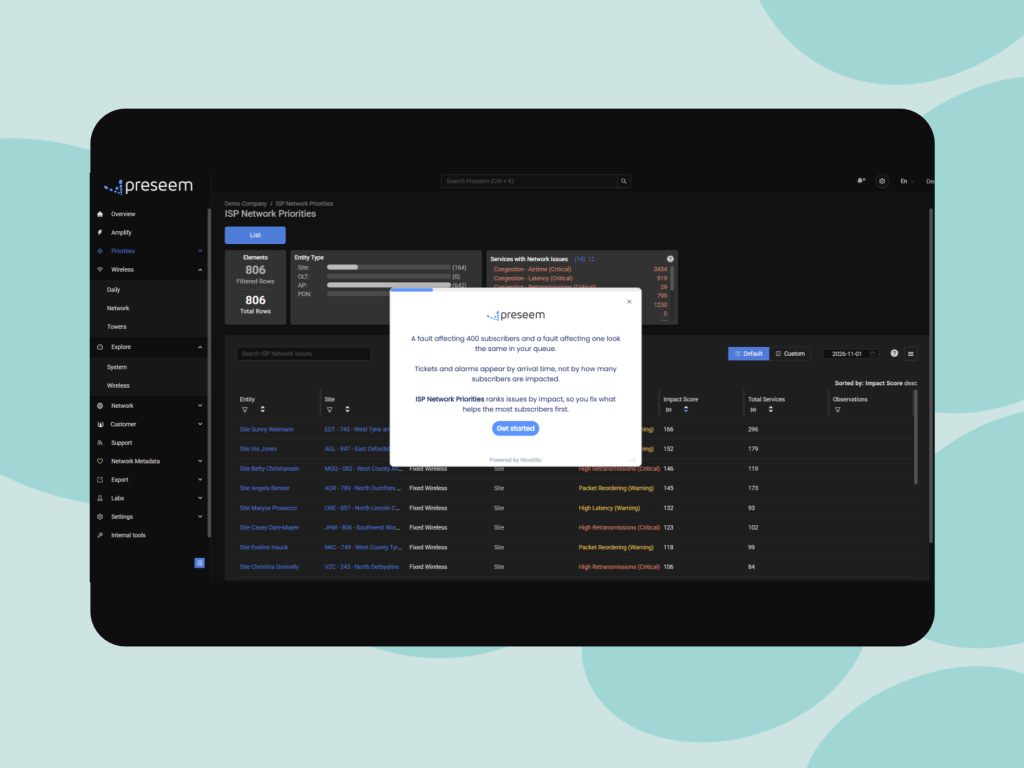
ISP Network Priorities

Explore how Network Priorities ranks network issues by subscriber impact, helping you focus on the fixes that make the biggest difference.

Take A Tour:

Support Assistant

See the Support Assistant in action! 

Frequently Asked Questions


When should a Tier 1 ISP support call escalate?

A call should escalate when the fix needs something Tier 1 can't do: a configuration change on the network, a field repair, or a fault the NOC has to work. An escalation made because nobody could identify the cause in time is the easiest kind to recover, since the information needed to settle it often already exists in the operator's systems. Sort a month of escalations into those two groups and you'll see how much of your Tier 2 load is diagnosis rather than repair. The ISP support performance guide covers the escalation measures that sit alongside it.

Is an AI support assistant for ISPs just a smarter knowledge base?

No. A knowledge base holds procedures that apply to any subscriber, while an assistant connected to network data works out what's wrong with this subscriber's connection today. The knowledge base still has a place, because it's where the steps for a router reset or a plan change live once the cause is known. What it can't do is locate the fault, which is why an agent working from articles alone ends up troubleshooting by elimination.

What does AI agent assist need from a broadband network?

It needs per-subscriber experience measured continuously, a map tying each subscriber to the AP, sector or PON they sit on, access-link telemetry from the radio and OLT vendors you run, and the account's ticket history. To place a problem inside the home rather than just rule out the access link, it also needs evidence from behind the CPE. The topology map is easy to overlook, and without it a tool can't compare a subscriber with their neighbours, which is how a shared fault is told apart from a single one.

What if the subscriber doesn't accept the help desk diagnosis?

Show them the evidence in terms of their own experience: the drops on the evenings they described, or the fact that their neighbours on the same sector saw the same thing. A help desk diagnosis is much easier to accept when it matches what the subscriber lived through, and an agent with the answer already on screen has time to make that connection instead of reading a conclusion off a script.

About Preseem

Preseem shows regional ISPs what every subscriber is actually experiencing, from the network into the home and across every major equipment vendor. Operators use it to improve subscriber experience and business results together: keeping subscribers happier for longer, running a more efficient operation at lower cost, and earning more from upgrades and services subscribers want. Preseem turns that intelligence into next steps for support, the NOC and sales, aimed at whatever helps the most subscribers. Support Assistant gives the rep on the call the cause and the next action in plain language, including whether the fault is in the home or on the network. Network Priorities ranks the sites, APs and PONs to fix first by how many subscribers each one is degrading, and Service Priorities shows which subscribers to contact and whether to fix something or offer an upgrade. Expert view keeps two years of history behind every subscriber, AP and OLT. Learn more at preseem.com.

[/et_pb_post_content][/et_pb_column][/et_pb_row][/et_pb_section]

Latest From Our Blog

Network insights, best practices, and product updates to help you get the most from Preseem.
Amplify AI: Preseem’s Support Assistant

Amplify AI: Preseem’s Support Assistant

Discover Preseem’s Amplify AI: Support Assistant, an AI-powered tool that helps ISPs diagnose subscriber issues faster, reduce escalations and truck rolls, and resolve support calls more efficiently.

STOP MANAGING COMPLEXITY

START RUNNING YOUR BUSINESS

Every week without visibility is another week of trucks that didn't need to roll and subscribers who left without telling you why.

Let's start with your network, your vendors, your subscribers.