Key Takeaways
-
Whether a slow-internet complaint is a Wi-Fi or network problem is hard to settle on the call, because each check answers part of the question, leaves the rest open, and sends the agent to another system.
-
Healthy neighbours on the same AP or PON A speed test run during the call often can’t separate the two cases on its own, because it measures one moment from one device rather than the connection over the period the subscriber is complaining about.
-
A wrong answer lands on both sides: the operator pays for a dispatch to a healthy connection or a callback on a fault that was never fixed, and the subscriber is left with the problem, sometimes after being told it was their router.
-
In Preseem’s operator analysis, one operator assessed about 20% of its truck rolls as unnecessary and another, roughly 50%. These are operator-specific findings, not an industry benchmark.
-
Experience helps an agent know what to look for, but it doesn’t eliminate the chase across systems to find the evidence.
Why Can’t the Subscriber’s Description or a Speed Test Settle It?
The two quickest sources of evidence do little to separate the cases. “Slow” covers buffering video, a lagging game, a dead spot in the back bedroom and a sector that’s saturated every evening, so the subscriber’s description mostly tells the agent where to start.
A speed test rarely settles it by itself either, for reasons Preseem has covered in why speed tests don’t predict subscriber experience. A test from the subscriber’s laptop measures their Wi-Fi and your network together, a test from the CPE says little about the home, and either one describes the moment it ran rather than last night, when the problem actually happened.
Why Does Every Answer Lead to Another Check?
Because each check only rules out one part of the path. The agent starts with what’s shared: the other subscribers on the same AP, sector or PON over the evening the caller described. If many of them degraded together, that’s strong evidence of a network issue, and the call can end with an honest answer and a time frame. If they look fine, the shared path is probably clear, but nothing has been said yet about this subscriber’s own link.
So the agent opens the radio or ONT, often in a different vendor’s tool, and looks at signal and modulation on fixed wireless or optical levels and errors on fiber. A degraded link goes a long way to explaining the complaint, while a healthy one makes this drop unlikely and leaves the router, the Wi-Fi and every device in the house to investigate, which is where the trail tends to go cold. Unless the operator also manages the subscriber’s router, the systems an agent can reach tend to stop at the CPE, so evidence of what the subscriber’s traffic experienced behind it, last night rather than now, has to come from somewhere else, if it’s collected at all.
Timing is another lookup. A problem that tracked the busy hour points one way and one that ignored network load points the other, but only if someone can pull the history for the hours in question. Even with all of that, the household may simply be using everything its plan allows, or have a problem on both sides of the CPE at once.
None of these checks is the wrong one to make. The difficulty is that each answers only part of the question, and getting to an answer the subscriber can act on can require several of them, often across multiple systems and in more time than the call allows.
Evidence |
What It tells you |
What It Leaves Open |
|---|---|---|
| The Subscriber’s Description | Roughly what they’re experiencing | Almost everything about the cause |
| A Speed Test During The Call | How one device performs at that moment | Last night, and which side of the CPE |
| Neighbours On The Same AP Or PON | Whether the shared path degraded | Whether this subscriber’s link or home is the problem |
| Access Link To The CPE (Signal, Modulation, Optical Levels, ONT Errors) | Whether this drop looks healthy | Everything behind the CPE |
| Experience Behind The CPE | Whether the household’s traffic struggled while the link was fine | Which device, room or router is at fault (and not every operator collects this) |
| Timing Against Network Load | Whether the problem tracks shared load | What happened, unless history for the complaint window is available |
| Throughput Against The Plan | Whether the household is using all it pays for | Whether there’s also a fault underneath |
How Often Is the Problem in Equipment the Operator Doesn’t Manage?
Often enough to belong in the diagnosis. At one fixed wireless operator in Preseem’s operator analysis, about a quarter of technical support calls concerned third-party equipment, meaning hardware the operator didn’t supply and doesn’t manage. That’s one operator’s figure rather than a norm, and the share will move with how much of the in-home network an operator provides.
Those are the calls where the chase runs out at the CPE. When the access link is clean and the agent can’t see past it, they can’t say which side of the CPE the problem is on, and a dispatch becomes the way to find out.
What Happens When the Call Gets the Wrong Answer?
When a network fault is called in-home, the subscriber restarts a router that was never the problem, the access fault carries on, and the next call starts with a subscriber who has already been told it’s their fault. When an in-home problem is called network, a technician drives out, finds the radio or ONT healthy, and either leaves without a fix or swaps CPE that wasn’t the cause.
The second mistake is one of the ways a dispatch becomes unnecessary. In Preseem’s operator analysis, a second fixed wireless operator, of about 16,000 subscribers, assessed about 20% of its truck rolls as unnecessary, and a fiber operator of about 30,000 subscribers assessed roughly 50%. These are operator-specific findings, not an industry benchmark, and neither indicates how many of those dispatches began as misread in-home problems. What a dispatch costs is covered in how proactive ISPs improve customer experience without growing support teams
What Does the Agent Need on Screen to Answer Before the Call Ends?
Four things, of which the first is the one not every operator collects:
-
- The subscriber’s experience over the window they’re describing (latency, packet loss and throughput against their plan), not a test run now.
- The asset they sit on, and how the other subscribers on that AP, sector or PON were doing over the same hours.
- The health of their access link to the CPE, in RF or optical terms.
- What was tried on this account last time, so the agent doesn’t repeat a step that has already failed.
When those pieces of evidence sit in different systems, the diagnosis often gets pushed to Tier 2 or handled after the subscriber has hung up. When they sit in one view, a Tier 1 agent can work through the diagnosis during the call and explain what the evidence is pointing to as they go, which is what first call diagnosis means in practice. For how this connects to escalations, ramp time and the rest of the desk’s work, see the ISP support performance guide.
Why the Answer Matters After the Call Ends
Getting this wrong costs twice: first in the avoidable dispatch, the callback and a second agent on the same ticket, and later in retention, because a subscriber who has had the wrong fix applied twice can stop calling well before they stop paying, the pattern Preseem unpacked in why subscribers leave without ever calling support.
Read the complete guide to improving ISP support performance.
Frequently Asked Questions
How can an ISP diagnose a subscriber’s Wi-Fi issue without a site visit?
One test the subscriber can run helps isolate the home. Have them connect a device by cable close to the router and compare it with the same device on Wi-Fi in the room where the problem happens. If the wired result is fine and the wireless one isn’t, the evidence points to a Wi-Fi problem rather than a network problem, and a few minutes on the phone may save a dispatch to find the same thing.
What is first call diagnosis, and how is it different from first-contact resolution?
First call diagnosis means establishing where the fault is during the initial contact; first-contact resolution means the problem is actually fixed in it. Diagnosis comes first, since an issue can’t be resolved on the first call if nobody knows which side of the CPE it’s on. Some problems will need a second step, such as a repair crew or a new router, and a correct diagnosis on the first call makes it far more likely that step is the right one.
What if the problem is both the home and the network?
It happens, for example, a congested sector in the evening and a router struggling with too many devices at the same time. In most cases, address the shared network issue first, because it’s yours to fix and it affects the other subscribers on that asset, then reassess the caller’s experience once the shared problem is gone. Telling the subscriber about both is usually better than presenting only one, since the in-home part will still be there after your repair.
Is the in-home vs network question harder on fiber or fixed wireless?
The chase has the same shape, but the checks differ. On fixed wireless the shared asset is the AP or sector, and one subscriber’s link can degrade with slow changes like foliage growing into the path. On fiber the shared asset is the PON, and where the subscriber’s plan sits well inside what the PON can deliver, a healthy link with a complaint behind it narrows the search toward the home sooner.
The Complete Guide to Improving ISP Support Performance
The guide puts the in-home-or-network call alongside the other decisions a support desk makes, from first-contact resolution and escalations to dispatch thresholds and how quickly new Tier 1 agents become productive.
About Preseem
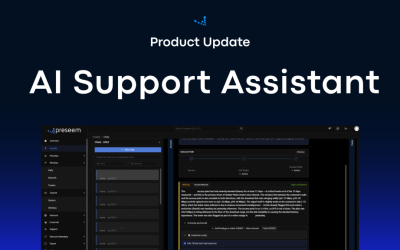
Preseem shows regional ISPs what every subscriber is actually experiencing, from the network into the home and across every major equipment vendor. Operators use it to improve subscriber experience and business results together: keeping subscribers happier for longer, running a more efficient operation at lower cost, and earning more from upgrades and services subscribers want. Preseem turns that intelligence into next steps for support, the NOC and sales, aimed at whatever helps the most subscribers. Support Assistant gives the rep on the call the cause and the next action in plain language, including whether the fault is in the home or on the network. Network Priorities ranks the sites, APs and PONs to fix first by how many subscribers each one is degrading, and Service Priorities shows which subscribers to contact and whether to fix something or offer an upgrade. Expert view keeps two years of history behind every subscriber, AP and OLT. Learn more at preseem.com